
Download PhotoMagic – Photo Editing, Image Retouching, Creative Effects
Overview
PhotoMagic is a photo editing application designed for users who want to enhance and retouch their images with minimal effort. The app offers a streamlined experience that removes the complexity typically associated with professional-grade editing tools, making it accessible to both beginners and casual users. Its primary purpose is to simplify the process of applying visual effects, frames, and modifications to photos, enabling users to produce polished, visually appealing images quickly and intuitively.
Target users include individuals who want to improve personal photos for social media, family albums, or casual sharing. The app addresses common pain points such as the steep learning curve of advanced editing software and the time-consuming nature of manual adjustments. By providing instant access to a range of editing tools, PhotoMagic helps users elevate their photo quality without requiring technical expertise.
Although the developer did not provide additional background information, the app’s long-standing presence since its release on July 9, 2009, suggests a stable and reliable foundation. Its continued relevance in the mobile app ecosystem highlights its value as a lightweight, user-focused utility for on-the-go image enhancement. Real-world use cases include quick edits before posting on social platforms, adding artistic flair to snapshots, and preparing images for digital sharing or printing.
Key Features & Functionality
PhotoMagic delivers a suite of tools tailored to simplify photo editing while maintaining high visual quality. The app’s core functionality revolves around ease of use and immediate results, making it ideal for users who prioritize speed and simplicity over advanced customization.
- User-Friendly Interface: The clean, minimalist design ensures that navigation is intuitive for all users, regardless of experience level. Buttons and menus are clearly labeled, and the layout minimizes clutter, allowing users to focus on creative decisions rather than technical navigation.
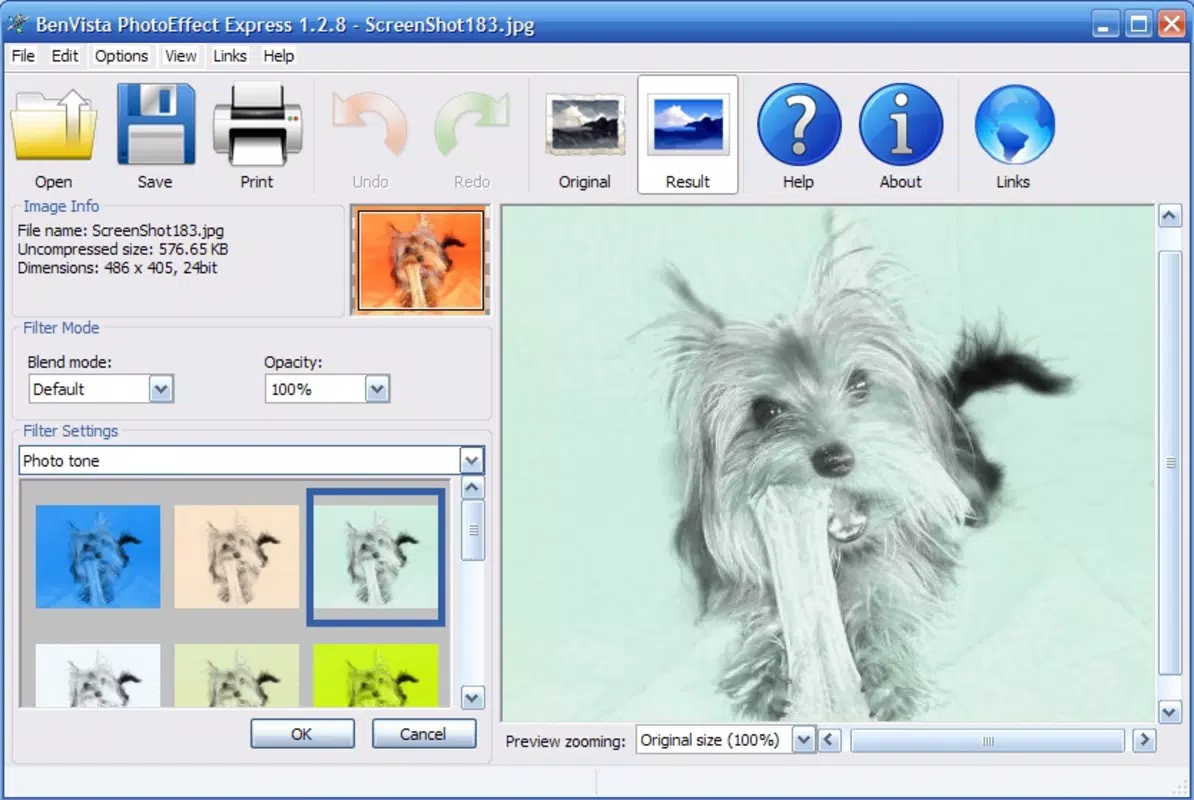
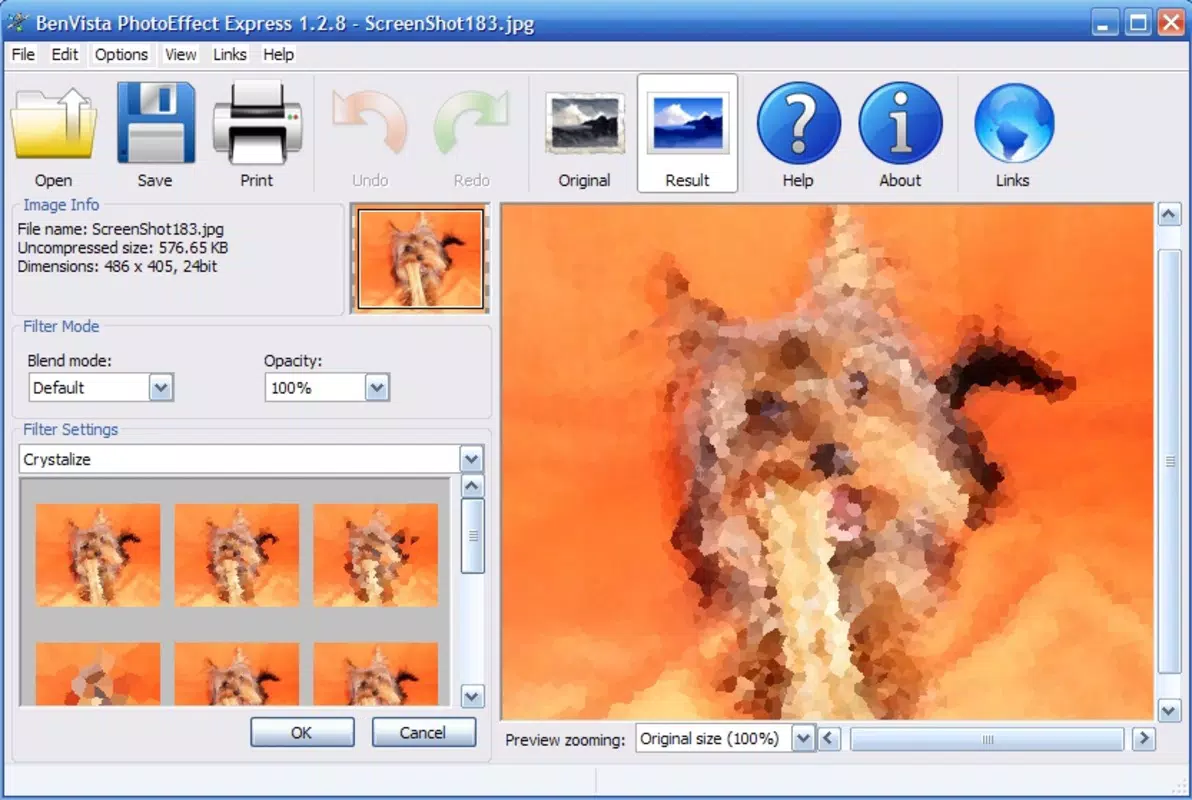
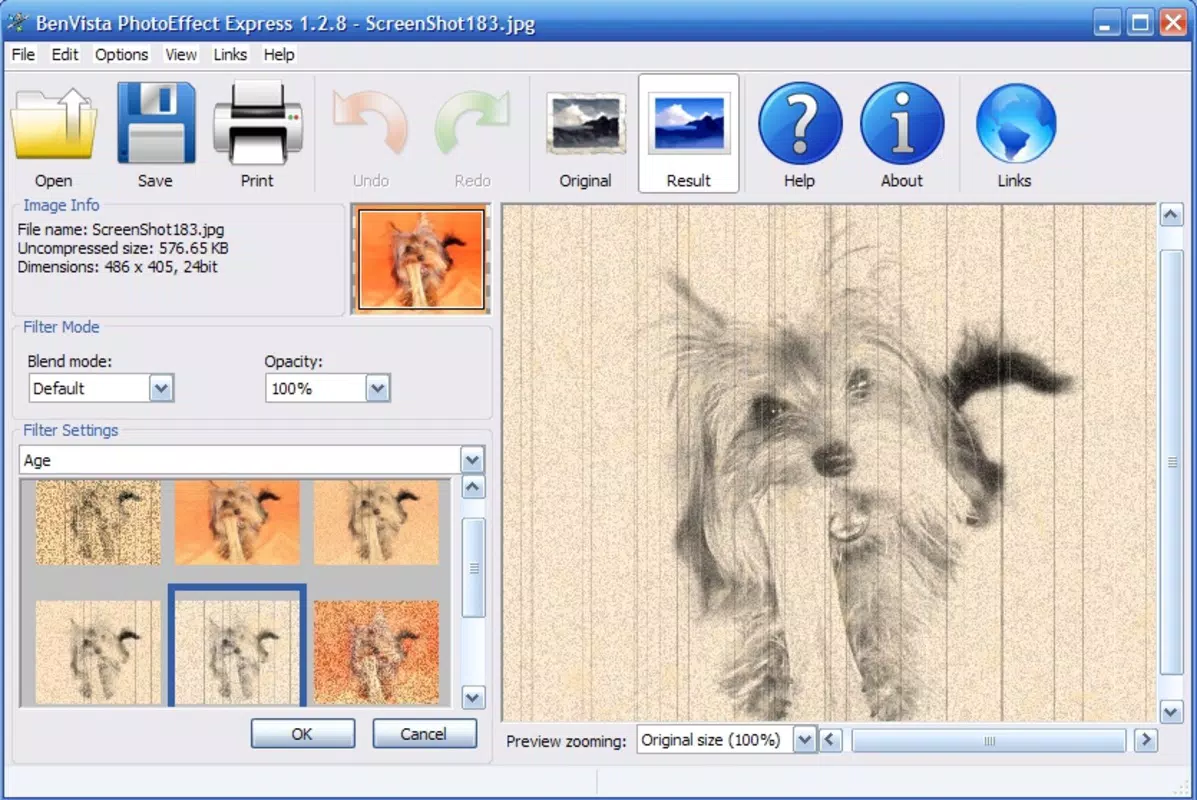
- Variety of Effects: A broad selection of visual effects—such as filters, color adjustments, and artistic overlays—can be applied with a single tap. Each effect is optimized for real-time preview, enabling users to assess changes before finalizing.
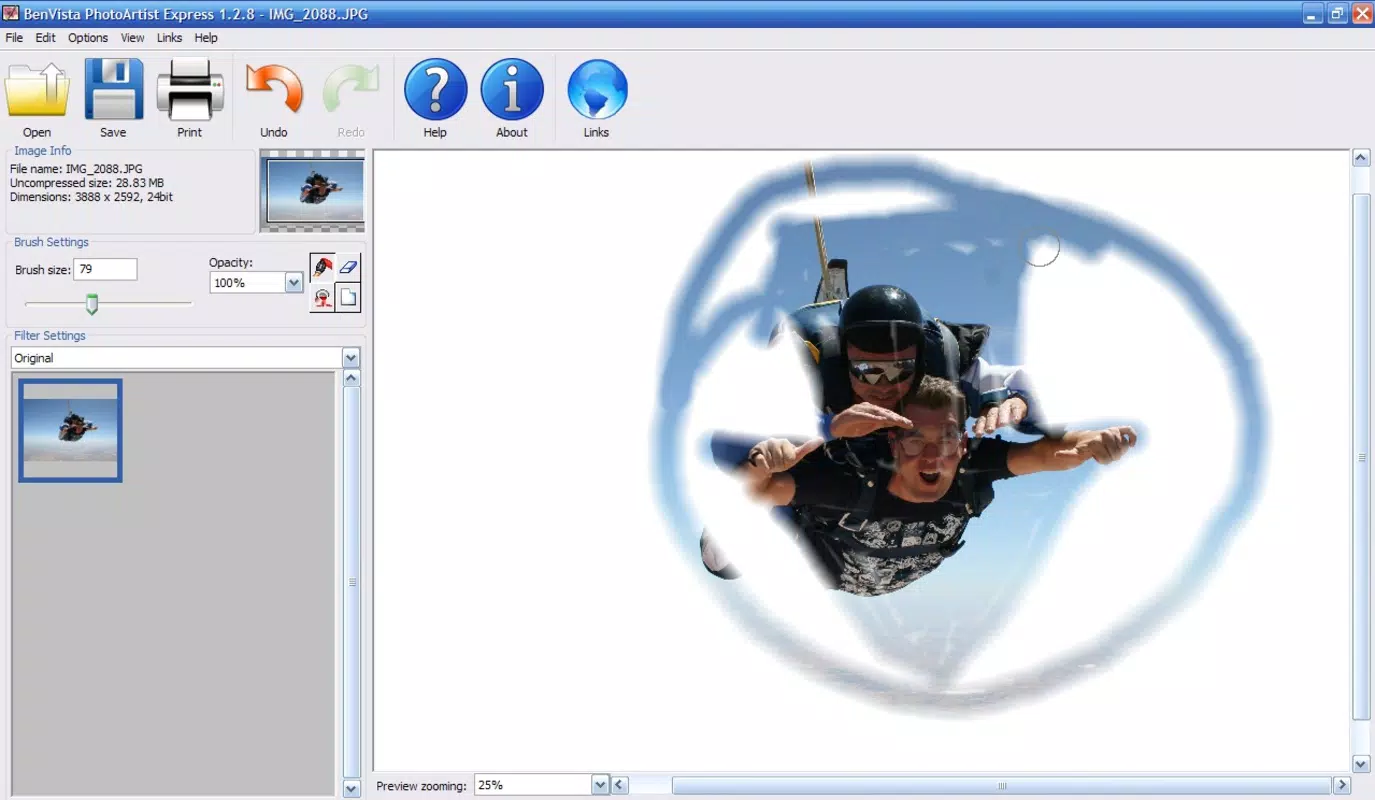
- Multiple Modification Options: Beyond filters, users can resize images, correct lighting and contrast, and add decorative frames or text elements. These tools collectively support a range of creative goals, from subtle enhancement to dramatic transformation.
- Easy Sharing Capabilities: After editing, photos can be saved directly to the device or shared instantly via integrated social media and messaging platforms. This seamless workflow encourages users to showcase their creations without switching between apps.
- Beginner-Focused Design: The app abstracts complex technical processes, such as layer management and histogram adjustments, allowing users to concentrate on artistic expression rather than software mechanics.
Interface, UX & Performance
The user interface of PhotoMagic is designed with clarity and simplicity in mind. The layout follows a logical flow, with primary editing tools grouped in accessible menus and secondary options hidden in collapsible sections. Visual feedback is immediate—changes are applied in real time, and previews update dynamically as users adjust settings.
Navigational consistency is maintained throughout the app, with minimal steps required to complete common tasks such as selecting a photo, applying an effect, and saving or sharing the result. The absence of intrusive ads or pop-ups enhances the overall user experience, allowing for uninterrupted creative flow.
Although the developer did not list formal performance metrics, the app’s lightweight nature and long-term availability suggest efficient resource usage. It is expected to function smoothly on a range of devices, from entry-level smartphones to high-end models. Responsiveness appears to be optimized for touch input, with minimal lag during effect transitions and image processing. Stability is likely maintained through consistent updates, though specific release notes were not provided.
Platform Compatibility & Technical Requirements
PhotoMagic is available on Android and iOS platforms. The app supports the latest versions of both operating systems, ensuring compatibility with current device hardware and software standards. The file size is approximately 25.6 MB, which is relatively compact for a photo editing tool with multiple features.
Specific OS requirements were not listed. The developer did not specify minimum OS versions or hardware specifications. It is recommended to install the app on devices with sufficient storage and a functional camera or photo gallery access. Compatibility information was not fully disclosed, so users should verify system requirements through official app stores before installation.
Pros and Cons
Pros
- Simple, intuitive interface suitable for beginners and casual users
- Quick access to a wide range of visual effects and editing tools
- Real-time preview functionality for immediate feedback
- Efficient image sharing directly from the app
- Lightweight design with minimal storage footprint
Cons
- Advanced editing features not detailed in the provided information
- Limited customization options for some effects
- Developer did not provide technical specifications or update frequency
- Specific compatibility details were not disclosed
- Performance on older devices may vary without official confirmation
FAQ
Is PhotoMagic safe to download and install?
Yes, PhotoMagic is available through official app stores, which helps ensure the app is free from malware and unauthorized modifications. Always download from trusted sources to maintain device security.
Can I use PhotoMagic without an internet connection?
Yes, the app functions fully offline. All editing tools and features are accessible without requiring an active internet connection, making it ideal for on-the-go use.
Does PhotoMagic support batch editing?
Based on the available information, the app does not confirm batch editing capabilities. Editing is performed on a per-image basis.
How often is PhotoMagic updated?
The developer did not specify update frequency. Users are advised to check the app store for the latest version and release notes.
Can I undo edits in PhotoMagic?
While the app’s documentation does not mention an undo function, most mobile editing apps of this type support a reset or revert option. Users should test this feature within the app to confirm availability.
Final Thoughts + CTA
PhotoMagic stands out as a reliable, no-frills solution for users who want to enhance their photos without the complexity of professional software. Its focus on simplicity, immediate results, and ease of sharing makes it a practical tool for everyday photo editing needs. Whether you're preparing images for social media, creating digital keepsakes, or experimenting with artistic effects, PhotoMagic delivers a smooth and enjoyable experience.
While advanced users may find the feature set limited, the app excels in its intended purpose: accessible, fast, and visually effective image editing. For beginners and casual users, it offers a low barrier to entry and a high reward in creative satisfaction.
Download PhotoMagic now


